APA vs MLA Citation Format — The Complete Student Guide

Every academic paper requires citations. It does not matter if you are writing a two-page response or a twenty-page research paper — your professor expects sources to be cited correctly. The problem is that citation rules are confusing, and most professors never actually explain the differences between formats. They assign APA or MLA, hand you a style guide link, and assume you will figure it out.
You are not alone if you find this frustrating. APA and MLA are the two most common citation styles in college, and they look similar enough to cause constant mix-ups. This guide breaks down both formats with real examples so you can tell them apart, format your papers correctly, and stop losing points on technicalities.
Need to format a citation right now? The generator handles APA and MLA instantly.
Generate APA Citations Free →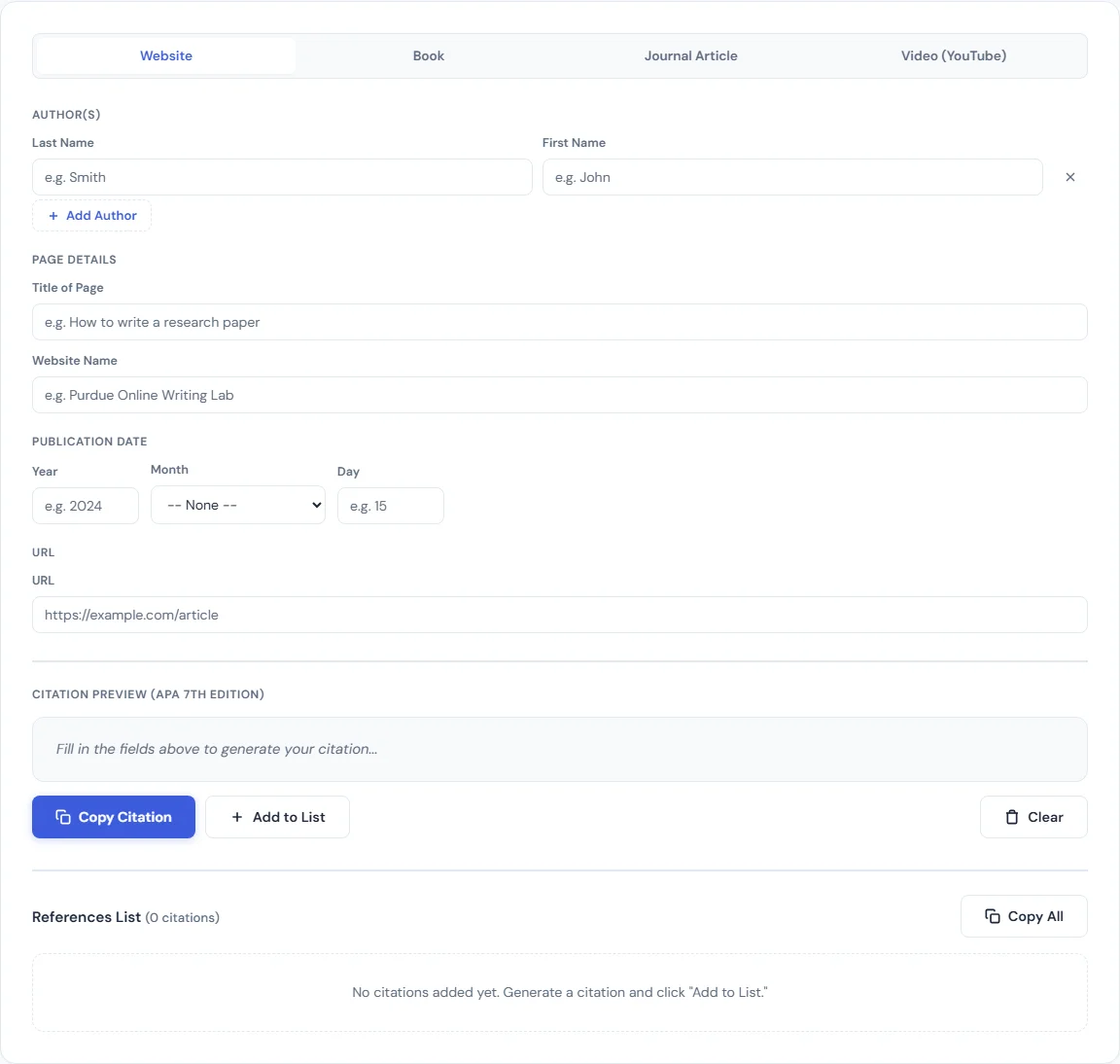
APA vs MLA at a Glance
The simplest way to remember the difference: APA is for sciences and social sciences. MLA is for humanities.
APA (American Psychological Association) is the standard format for papers in psychology, sociology, business, nursing, education, economics, and criminal justice. It emphasizes when research was published because recent findings matter in these fields.
MLA (Modern Language Association) is the standard format for papers in English, literature, foreign languages, cultural studies, philosophy, and the arts. It emphasizes who said something and where to find it, because the ideas themselves — not their publication dates — are what matter most in humanities scholarship.
If your professor does not specify a format, check your department. Business and science departments almost always use APA. English and literature departments almost always use MLA. When in doubt, ask before you start writing.
APA Format Basics
APA style is currently in its 7th edition. Here is what you need to know to format a paper correctly.
In-Text Citations
APA in-text citations use the (Author, Year) format. The publication year appears right in the citation because APA prioritizes recency of research.
- One author: (Johnson, 2024)
- Two authors: (Johnson & Rivera, 2024)
- Three or more authors: (Johnson et al., 2024)
- Direct quote: (Johnson, 2024, p. 47)
If you mention the author in your sentence, only put the year in parentheses: Johnson (2024) found that students who used structured study schedules scored 15% higher on final exams.
Reference List Entries
APA calls its bibliography a Reference List. Every source cited in your paper must appear here, and every entry in the list must be cited in the paper. Here are the three most common source types:
Book:
Johnson, M. R. (2024). The science of productive studying: Evidence-based strategies for college students. Cambridge University Press. https://doi.org/10.1017/example123
Journal article:
Rivera, S. L., & Chen, W. (2023). Sleep duration and academic performance in undergraduate populations. Journal of Educational Psychology, 115(3), 412–428. https://doi.org/10.1037/edu0000789
Website:
National Center for Education Statistics. (2025, March 10). College enrollment trends 2020–2025. U.S. Department of Education. https://nces.ed.gov/example
Notice the pattern: Author. (Year). Title. Source. URL or DOI. Every entry uses a hanging indent — the first line is flush left and subsequent lines are indented 0.5 inches.
Title Page
APA requires a separate title page. It includes the full title of your paper (bold, centered), your name, your institution, the course number and name, the instructor's name, and the due date. The title page is page 1, and a page header with the page number appears in the top right corner of every page.
Running Header
APA papers include a running header — a shortened version of your paper title in all caps at the top left of every page, with the page number at the top right. For student papers in APA 7th edition, the running header is optional unless your professor specifically requires it. The page number, however, is always required.
When to Use APA
Use APA for college papers in psychology, sociology, business, nursing, education, economics, criminal justice, and most other social science or health science courses. If your professor assigns a research paper in any of these fields and does not specify a format, APA is almost certainly what they expect.
MLA Format Basics
MLA style is currently in its 9th edition. The format is simpler than APA in several ways, especially when it comes to page setup.
In-Text Citations
MLA in-text citations use the (Author Page) format — no comma between them, and no year. MLA cares about the location of the information within the source, not when the source was published.
- One author: (Morrison 84)
- Two authors: (Morrison and Lee 84)
- Three or more authors: (Morrison et al. 84)
- No page number (website): (Morrison)
If you name the author in your sentence, only include the page number in parentheses: Morrison argues that early American literature was shaped by economic anxiety as much as by religious conviction (84).
Works Cited Entries
MLA calls its bibliography the Works Cited page. Like APA, every source you cite must appear here. Here are the three most common formats:
Book:
Morrison, Tanya R. Reading Between the Lines: Economic Anxiety in Early American Fiction. Oxford University Press, 2022.
Journal article:
Lee, David, and Priya Sharma. "The Role of Digital Archives in Modern Literary Research." Modern Language Quarterly, vol. 83, no. 2, 2024, pp. 201–19.
Website:
Gutenberg Project Staff. "About Project Gutenberg." Project Gutenberg, 15 Jan. 2025, www.gutenberg.org/about/.
The MLA pattern differs from APA: Author. Title. Publisher, Year. There are no parentheses around dates, titles of shorter works use quotation marks instead of italics, and URLs are included only when the source would be hard to find otherwise.
Header Format
MLA does not use a separate title page. Instead, your first page includes a header block in the top left corner with your name, your instructor's name, the course name, and the date. The title is centered on the next line — not bolded, not underlined, just centered in regular type. Your last name and the page number go in the top right corner of every page.
When to Use MLA
Use MLA for courses in English, literature, foreign languages, cultural studies, comparative literature, film studies, and philosophy. Any course in a humanities department will likely expect MLA formatting. If you are writing a literary analysis, an argumentative essay about a novel, or a research paper on a cultural topic, MLA is the standard.
Key Differences Between APA and MLA
Here are the distinctions that matter most when formatting your paper:
- Date placement in citations: APA puts the year right in the in-text citation: (Johnson, 2024). MLA does not include the year in the in-text citation at all: (Morrison 84). This is the fastest way to tell the two apart.
- Page numbers in citations: APA only requires page numbers for direct quotes: (Johnson, 2024, p. 47). MLA includes page numbers for every citation where they are available: (Morrison 84).
- Title formatting: APA bolds the paper title on the title page. MLA does not bold, underline, or italicize the title — it is just centered in regular text.
- Bibliography name: APA calls it a "References" page. MLA calls it "Works Cited." Using the wrong heading is a common mistake.
- Title page: APA requires a separate title page. MLA uses a header block on the first page — no separate page needed.
- Author names in references: APA uses last name and initials: Johnson, M. R. MLA uses the full name: Morrison, Tanya R.
- Date format in references: APA puts the year in parentheses right after the author: Johnson, M. R. (2024). MLA puts the year near the end of the entry: Oxford University Press, 2022.
Common Citation Mistakes to Avoid
These are the errors that cost students the most points, and they are all easy to fix once you know what to look for.
- Missing DOI or URL in APA. APA 7th edition requires a DOI for any source that has one. If there is no DOI, include the URL. Leaving this off is one of the most common mistakes in APA reference lists.
- Wrong date format. APA uses (2024) with just the year. MLA uses the full date in the Works Cited entry formatted as day-month-year: 15 Jan. 2025. Mixing these up is an instant red flag for professors.
- Inconsistent formatting. If you italicize book titles in one entry, you must italicize them in every entry. If you use a hanging indent for one reference, every reference needs one. Inconsistency suggests you were copying and pasting from different sources without checking the format.
- Forgetting the hanging indent. Both APA and MLA require hanging indents in the bibliography. The first line of each entry is flush with the left margin, and every subsequent line is indented 0.5 inches. This is a formatting requirement, not a suggestion, and many professors will deduct points for missing it.
- Using the wrong bibliography heading. Writing "Bibliography" or "Works Cited" on an APA paper, or writing "References" on an MLA paper, is an immediate formatting error. Use "References" for APA and "Works Cited" for MLA — always.
- Citing sources in the text but not in the bibliography (or vice versa). Every in-text citation must have a corresponding entry in your reference list or Works Cited page. Every entry in your bibliography must be cited somewhere in the paper. One-to-one matching is required in both styles.
How to Generate Citations Instantly
Formatting citations by hand is tedious and error-prone. That is exactly why citation generators exist. Instead of memorizing every punctuation rule, you can enter your source details and get a correctly formatted citation in seconds.
SmarterSources has free generators for both major formats:
- The APA Citation Generator formats references in APA 7th edition. Select your source type (book, journal article, website, or other), fill in the fields, and the tool builds both the in-text citation and the full reference list entry. You can copy the output and paste it directly into your paper.
- The MLA Citation Generator does the same thing for MLA 9th edition. Enter the author, title, publisher, and other details, and the tool generates a properly formatted Works Cited entry along with the correct in-text citation.
Both tools run entirely in your browser. There is no sign-up, no file upload, and no limit on how many citations you generate. If you are working on a research paper with twenty sources, you can generate all twenty citations in a few minutes.
Other Free Tools for Students
Citations are just one part of academic life. SmarterSources has a full set of free student tools to help with the rest:
- GPA Calculator — Calculate your semester and cumulative GPA with support for weighted and unweighted scales. Useful for tracking your standing and planning which courses to prioritize.
- Grade Calculator — Enter your assignment scores and weights to see your current grade in any class. Helps you figure out exactly what you need on the final.
- Final Grade Calculator — Input your current grade and the weight of the final exam to find out what score you need to hit your target grade.
- Pomodoro Timer — A simple focus timer based on the Pomodoro Technique. Study for 25 minutes, take a 5-minute break, and repeat. Great for staying on task during long study sessions.
- Flashcard Maker — Create digital flashcards for any subject. Add terms and definitions, then flip through them to quiz yourself.
- Study Schedule Builder — Plan your study sessions across multiple subjects. Block out time, set priorities, and build a schedule that fits around your classes and commitments.
All of these tools are free, browser-based, and require no account to use.
Conclusion
APA and MLA are not as complicated as they seem once you understand the core differences. APA emphasizes dates and is used in the sciences. MLA emphasizes authorship and page location and is used in the humanities. The formatting details — title pages, in-text citation style, bibliography headings — follow logically from there.
The fastest way to get your citations right is to use a generator that handles the formatting for you. Try the APA Citation Generator or the MLA Citation Generator on SmarterSources, and spend your time on the part of your paper that actually matters: the writing itself.
BLIPP built SmarterSources to replace expensive subscriptions with free, private tools. Every tool runs in your browser — no sign-ups, no limits.