How Fast Can You Type? Average Typing Speeds & How to Get Faster

Growing up, one of our favorite things to do in the computer lab was race each other typing. Someone would pull up a typing test, the whole row would lean in, and you would hammer away at the keyboard as fast as your fingers could move. The person with the highest WPM score got bragging rights for the rest of the day. It did not matter that we were supposed to be doing research for a social studies project. The typing race was the real event.
That was the first time most of us learned what "words per minute" even meant. And honestly, it is still one of the most satisfying things to measure about yourself. Unlike most skills, typing speed gives you an exact number. You are not "pretty good" — you are 67 WPM with 96% accuracy. There is something deeply satisfying about that.
Whether you are trying to figure out if your speed is normal, preparing for a job that requires a typing test, or just looking to get faster, this guide covers everything: what the average speeds actually are, how WPM is calculated, where different professions land, and the most effective ways to improve.
Want to see where you stand right now? Take a free typing test — no sign-up, no ads.
Take the Free Typing Speed Test →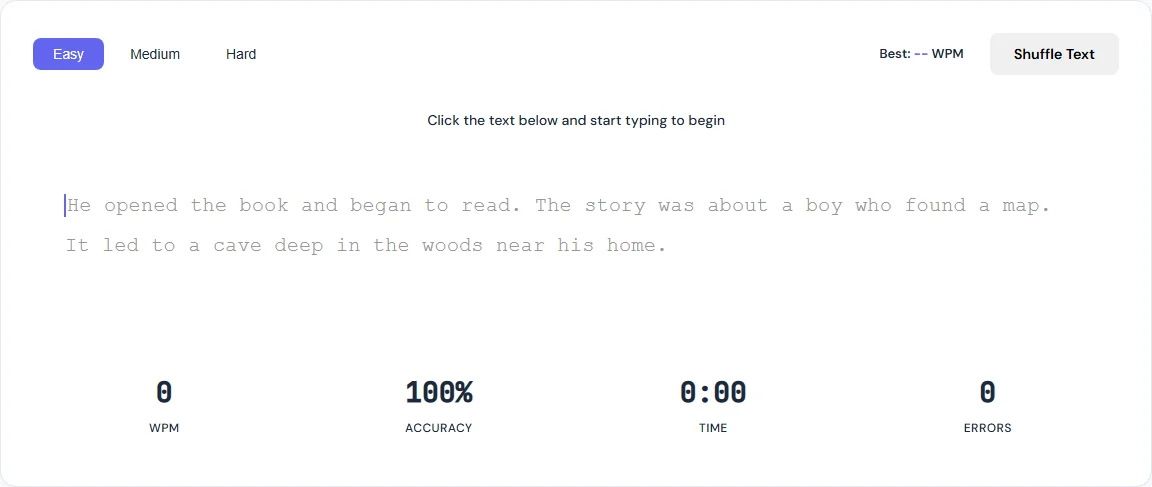
What Is the Average Typing Speed?
The average adult types around 40 words per minute. That is the number researchers and typing studies consistently land on, and it has been remarkably stable for decades despite the shift from typewriters to keyboards to laptops.
But "average" depends heavily on who you are measuring. Here is a more useful breakdown:
| Group | Average WPM | Notes |
|---|---|---|
| General adult population | 38–42 | Includes non-daily computer users |
| Office workers | 40–50 | Email, documents, and chat |
| High school / college students | 45–55 | Grew up typing regularly |
| Programmers / developers | 50–80 | Code involves special characters |
| Professional typists | 65–95 | Data entry, transcription roles |
| Competitive typists | 120–200+ | Top leaderboard speeds exceed 200 |
If you are between 40 and 60 WPM, you are solidly in the normal range. If you are above 60, you are faster than most people around you. Above 80 and you are in the top tier for everyday use. The jump from 80 to 100+ is where things get genuinely hard — each additional WPM requires more refined muscle memory.
How WPM Is Actually Calculated
WPM stands for words per minute, but it does not literally count words. Different words have different lengths, so the standard method uses a fixed definition: one "word" equals five characters, including spaces and punctuation.
The formula is simple:
WPM = (Total Characters Typed / 5) / Time in Minutes
So if you correctly type 300 characters in one minute, your WPM is 300 / 5 = 60. If it took you 90 seconds (1.5 minutes), it would be 300 / 5 / 1.5 = 40 WPM.
There are actually two common variations:
- Gross WPM counts everything you typed, errors included. This is your raw speed.
- Net WPM subtracts errors from the total. This is the more meaningful number because it reflects usable output.
Our Typing Speed Test uses net WPM — only correctly typed characters count. That means your score reflects real-world productivity, not just how fast your fingers can flail.
What Typing Speed Do You Need for Work?
This depends entirely on what you do. Here is a breakdown by profession:
| Job Type | Typical Requirement | Why |
|---|---|---|
| General office work | 40–50 WPM | Email, reports, spreadsheets |
| Customer support / chat | 50–65 WPM | Real-time conversations with customers |
| Data entry | 50–70 WPM | Volume-based accuracy-critical work |
| Journalism / content writing | 60–80 WPM | Deadlines and high word counts |
| Medical / legal transcription | 80–100 WPM | Real-time or near-real-time dictation |
| Court reporting (stenography) | 200–225+ WPM | Capturing live speech verbatim |
For most people reading this, 50 to 70 WPM is the sweet spot. That is fast enough that typing never bottlenecks your thinking. Your fingers can keep up with your brain, and you are not wasting time hunting for keys or fixing constant errors.
If your job involves heavy typing and you are below 40 WPM, investing a few weeks in deliberate practice will pay dividends for years. The math is straightforward: going from 40 to 60 WPM means you produce the same amount of text in two-thirds the time. Over the course of a career, that is thousands of hours saved.
Why Accuracy Matters More Than Speed
Here is something that gets lost in the race to hit a higher WPM: accuracy is the real multiplier.
Consider two typists:
- Person A: 55 WPM, 98% accuracy
- Person B: 72 WPM, 91% accuracy
Person B looks faster on paper. But 91% accuracy means roughly 1 in 11 characters is wrong. Those errors have to be found and fixed. Each correction takes a Backspace, a re-type, and sometimes scrolling back to find the mistake. In practice, Person A finishes clean work faster than Person B finishes corrected work.
This is why our typing test tracks both WPM and accuracy side by side. A 60 WPM score with 99% accuracy is genuinely more impressive than 80 WPM at 90%. The first person is producing clean, usable text. The second is producing a rough draft that still needs editing.
The good news: when you train for accuracy first, speed follows naturally. Your fingers learn the correct movements, muscle memory locks in, and you stop making the mistakes that were slowing you down in the first place.
7 Practical Tips to Type Faster
These are not theoretical. These are the techniques that actually move the needle, based on how touch typing works at a muscular and neurological level.
1. Learn proper finger placement
Your fingers should rest on the home row: left hand on A-S-D-F, right hand on J-K-L-semicolon. Each finger is responsible for specific keys. If you have been typing with two or four fingers your whole life, this will feel slow at first. Do it anyway. You will plateau around 40 to 50 WPM with hunt-and-peck. Proper placement removes that ceiling.
2. Stop looking at the keyboard
This is the single biggest leap most people can make. When you look at the keyboard, your brain is processing visual input (finding the key), motor output (moving the finger), and then re-orienting to the screen. When you touch type, the entire keyboard-to-screen loop is eliminated. Your eyes stay on the text and your fingers operate from memory. It feels uncomfortable for about a week. Then it clicks.
3. Practice for 15 to 20 minutes daily
Short, focused sessions beat long, occasional ones. Typing is a motor skill, like playing an instrument. Fifteen minutes of deliberate practice every day will improve your speed more than a two-hour session once a week. Use the Typing Speed Test to warm up — start on Easy, then move to Medium and Hard as your accuracy stabilizes.
4. Focus on problem keys
Everyone has weak spots. Maybe you always hesitate on B, or you mix up M and N, or numbers slow you to a crawl. Pay attention to where your errors cluster and drill those specific characters. The Hard mode in our test includes numbers and special characters for exactly this reason.
5. Use all ten fingers
Each finger has an assigned column of keys. Your left pinky handles Q, A, Z, and Shift. Your right index finger covers J, U, H, N, Y, and M. When every finger has a job, no single finger becomes a bottleneck. The transition from 4-finger to 10-finger typing is the hardest part, but the speed ceiling goes from around 50 WPM to well over 100.
6. Type real content, not just drills
Typing tests are great for measurement, but also practice by typing things you actually write. Emails, messages, notes, journal entries. The vocabulary you use daily becomes the vocabulary your fingers learn fastest. If you write code, practice typing code. If you write essays, practice with prose.
7. Track your progress
What gets measured gets improved. Take a typing test at the same time each day and write down your WPM and accuracy. Our tool saves your personal best for each difficulty level automatically. Watching that number climb from 42 to 55 to 68 over a few weeks is genuinely motivating — it feels like leveling up in a game, which is probably why we loved it so much back in that computer lab.
The History of Typing Speed Records
If you want some perspective on what the human ceiling looks like: the fastest typist ever officially recorded was Stella Pajunas, who hit 216 WPM on an IBM electric typewriter in 1946. On a typewriter. With physical keys that required real force to press. That record stood for decades.
On modern keyboards, competitive typists regularly exceed 200 WPM in short bursts. The current top speeds on popular typing test platforms approach 250 WPM for 15-second sprints. For sustained one-minute tests, speeds above 180 WPM place you among the fastest typists in the world.
These are outliers, of course. But they illustrate something important: the keyboard is not the bottleneck. Your fingers can physically move fast enough. The limit is how well your brain has automated the process. That automation comes from practice, and practice is something anyone can do.
Typing Speed by Age
Age has a noticeable effect on typing speed, though not in the way most people expect:
- Elementary school (ages 7–10): 10–25 WPM. Kids are still developing fine motor skills and learning key positions.
- Middle school (ages 11–14): 25–40 WPM. This is where typing habits solidify. Kids who learn touch typing here have a lasting advantage.
- High school and college (ages 15–22): 40–60 WPM. Heavy use of computers for schoolwork drives natural improvement.
- Working adults (ages 23–55): 40–65 WPM. Speed tends to peak in the late 20s to early 30s, then plateaus.
- Older adults (55+): 30–45 WPM. Speed may decline slightly, but accuracy often stays high.
The biggest takeaway: typing speed is a skill, not a talent. The age you start practicing matters far less than whether you practice at all. Plenty of people in their 40s and 50s have dramatically improved their speed by spending a few weeks on deliberate practice.
Mobile Typing vs Desktop Typing
It is worth mentioning that phone typing is an entirely different skill. The average smartphone typing speed is around 36 to 40 WPM with autocorrect enabled. Younger users (under 25) tend to be faster on phones, sometimes approaching desktop speeds. But for sustained, accurate text production, a physical keyboard still wins by a wide margin.
If you find yourself doing serious writing on your phone and wondering why it feels slow, it is because phone keyboards have fundamental limitations: no tactile feedback, smaller targets, and autocorrect that sometimes "corrects" things that were already right. For anything longer than a text message, a real keyboard is the right tool.
Frequently Asked Questions
What is the average typing speed?
The average adult types around 40 words per minute. Most office workers fall between 38 and 50 WPM. Students who grew up using computers tend to average higher, around 45 to 55 WPM. Professional typists and programmers often reach 80 to 100 WPM or more.
How is typing speed (WPM) calculated?
WPM stands for words per minute. A standard "word" is defined as 5 characters (including spaces). Your WPM is calculated by dividing the total number of correctly typed characters by 5, then dividing by the elapsed time in minutes. For example, typing 250 correct characters in 60 seconds equals 50 WPM.
What typing speed do I need for a job?
Most office jobs expect at least 40 WPM. Data entry positions typically require 50 to 60 WPM. Transcription and court reporting jobs may require 80 to 200+ WPM. For general knowledge work like email and document writing, 50 to 70 WPM is a comfortable range that will not slow you down.
Is it better to focus on typing speed or accuracy?
Always prioritize accuracy over speed. A typist at 50 WPM with 98% accuracy produces more usable text per minute than someone at 70 WPM with 90% accuracy, because errors require time to find and fix. Speed naturally increases as your accuracy improves and muscle memory develops.
How long does it take to improve typing speed?
Most people can add 10 to 15 WPM within 2 to 4 weeks of daily practice (15 to 30 minutes per day). Reaching 60 WPM from a 40 WPM baseline typically takes 4 to 8 weeks. Going from 60 to 80+ WPM takes longer because gains become more incremental at higher speeds.
BLIPP built SmarterSources to replace expensive subscriptions with free, private tools. Every tool runs in your browser — no sign-ups, no limits.